“Open Chrome, go to amazon.com, and search for a toothbrush.”
1Opening Chrome✓
2Navigating to amazon.com✓
3Searching for toothbrush✓
From a request to a result.
Less friction between a thought and what comes next.↓
A CLOSER LOOK AT JEVIS
A little orb. A proper desktop app.
Make it yours. Find your words. Keep everything within reach.
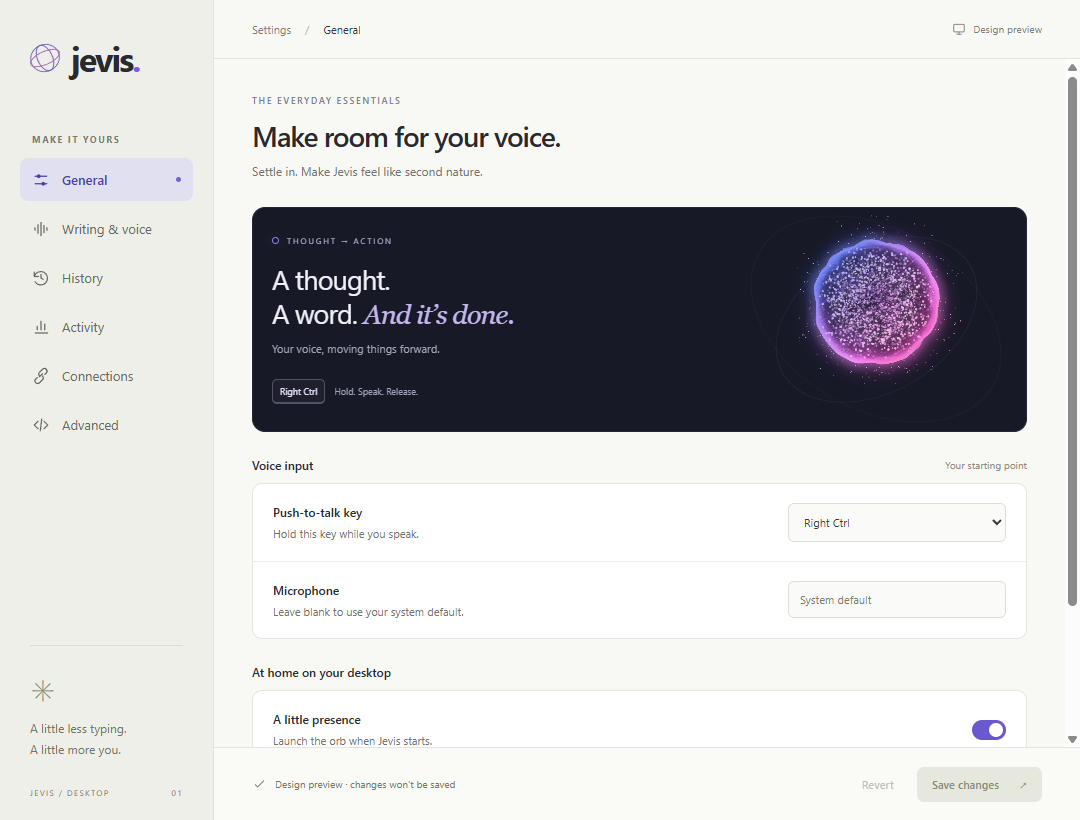
01 / YOUR EVERYDAY SETUP
At home on your desktop.
Choose your microphone and recording shortcuts. Keep the orb nearby, and make Jevis part of your day.
Custom recording shortcuts
Your preferred microphone
A quiet, always-available orb
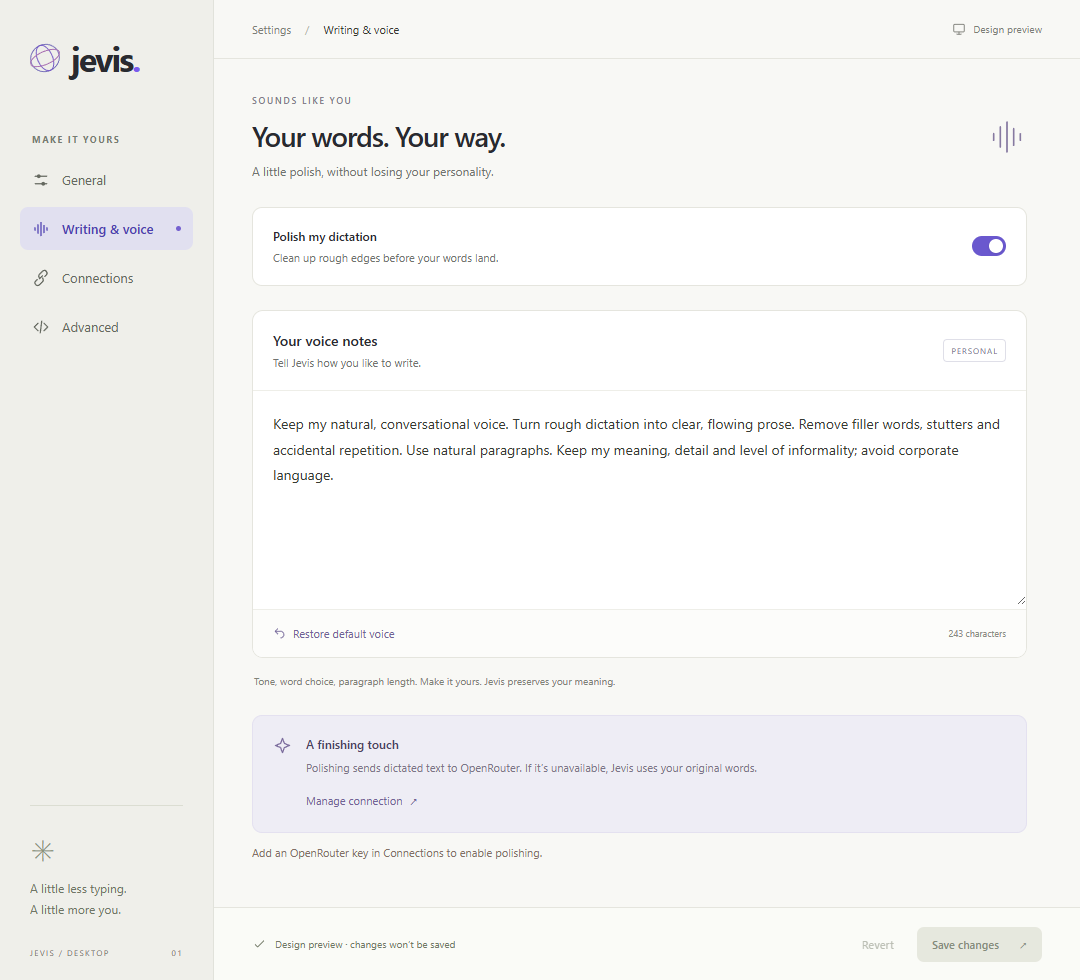
02 / YOUR WORDS, YOUR WAY
A little polish. Still your voice.
Clean up rough dictation while keeping what you meant. Give Jevis notes on your tone, word choice, and writing style.
Optional dictation polish
Your own writing instructions
Original words kept if polishing is unavailable
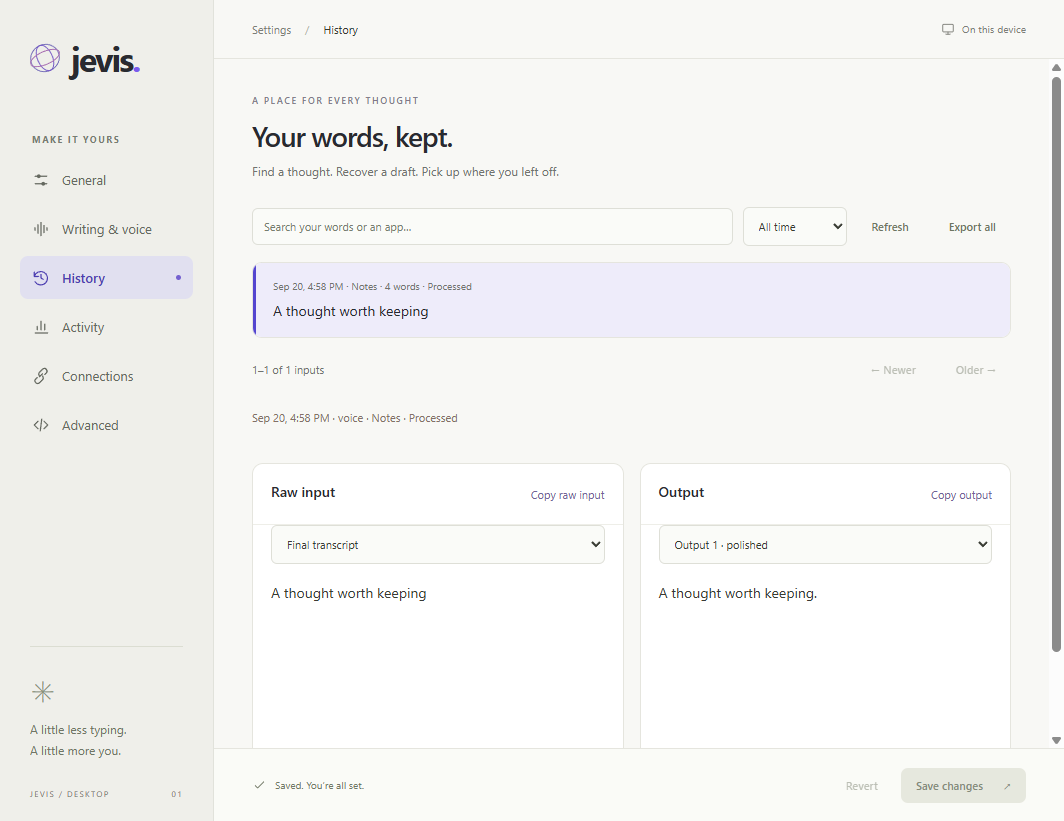
03 / A PLACE FOR EVERY THOUGHT
Your words, kept.
Search past dictation. Compare the original input with the finished output. Recover a draft and pick up where you left off.
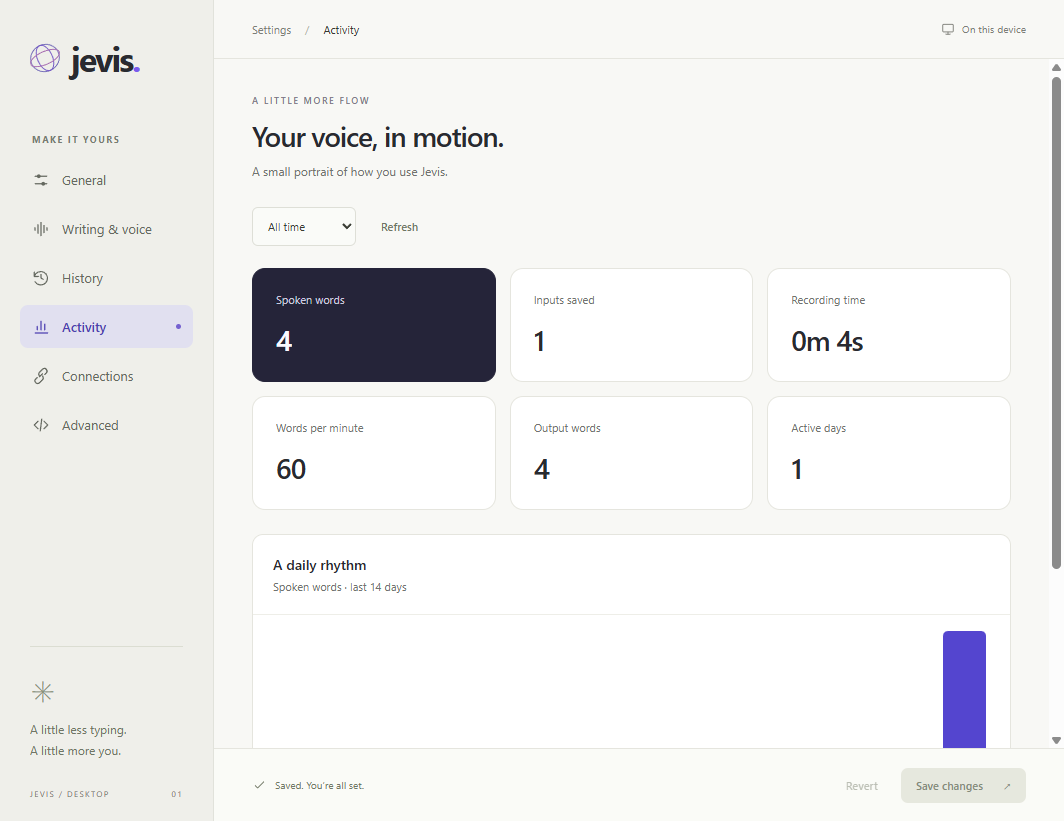
04 / SEE YOUR FLOW
A small portrait of your day.
See spoken words, recording time, and your daily activity. Understand how you're using Jevis, all in one place.
Screenshots from Jevis. Sample data shown.
A FEW THINGS TO KNOW
Small app energy. Real desktop work.
Built for the way a day actually goes. A note here. A rewrite there. One less click.
⌁
Your speech, recognized locally.
Powered by NVIDIA Parakeet.
What runs on my computer?+
Speech recognition runs locally with Parakeet. Desktop commands and optional text polishing use your configured AI provider and may send text and relevant interface context to that provider. Raw microphone audio isn't archived in Jevis's logs.
What do I need to get started?+
The Windows app needs Windows 11, a 64-bit PC, and a microphone. An NVIDIA GPU speeds up recognition; CPU recognition is also available. The installer is about 1.4 GB, and speech models download on first use. No Python or terminal setup is required.
Do I need an account or API key?+
No Jevis account is needed. Local dictation works without a cloud API key. To enable commands or polishing, configure a supported provider in Jevis Settings. Your provider's usage charges apply.
How do updates work?+
Jevis checks for updates automatically. When a release is available, choose “Install update and restart” from the tray. Updates verify both the release signature and the Windows publisher, and keep your settings. Automatic checks can be turned off.
Can I use Jevis on a Mac?+
Mac support is already in development, including local Parakeet recognition through FluidAudio on the Apple Neural Engine. A signed, self-contained Mac download is being prepared. The download on this page is currently for Windows.
Can it work with my browser?+
Jevis can use desktop accessibility to interact with controls. The separate Jevis Bridge extension adds richer context in Chrome and Edge. Commands depend on the controls an app exposes; the hero shows an illustrative command sequence.
 jevis
jevis